Contact
LumiMax

LumiMax

Unlock the full brightness potential of your Mac display. Up to 1600 nits.

Download Mac App Store GitHub
Buy Pro — $16.35

Already purchased on the App Store? Just use "Restore Purchase" in the website version.
The website version includes all features with no App Store restrictions.

or install with Homebrew:

brew tap Joowonoil/lumimax
brew install --cask lumimax
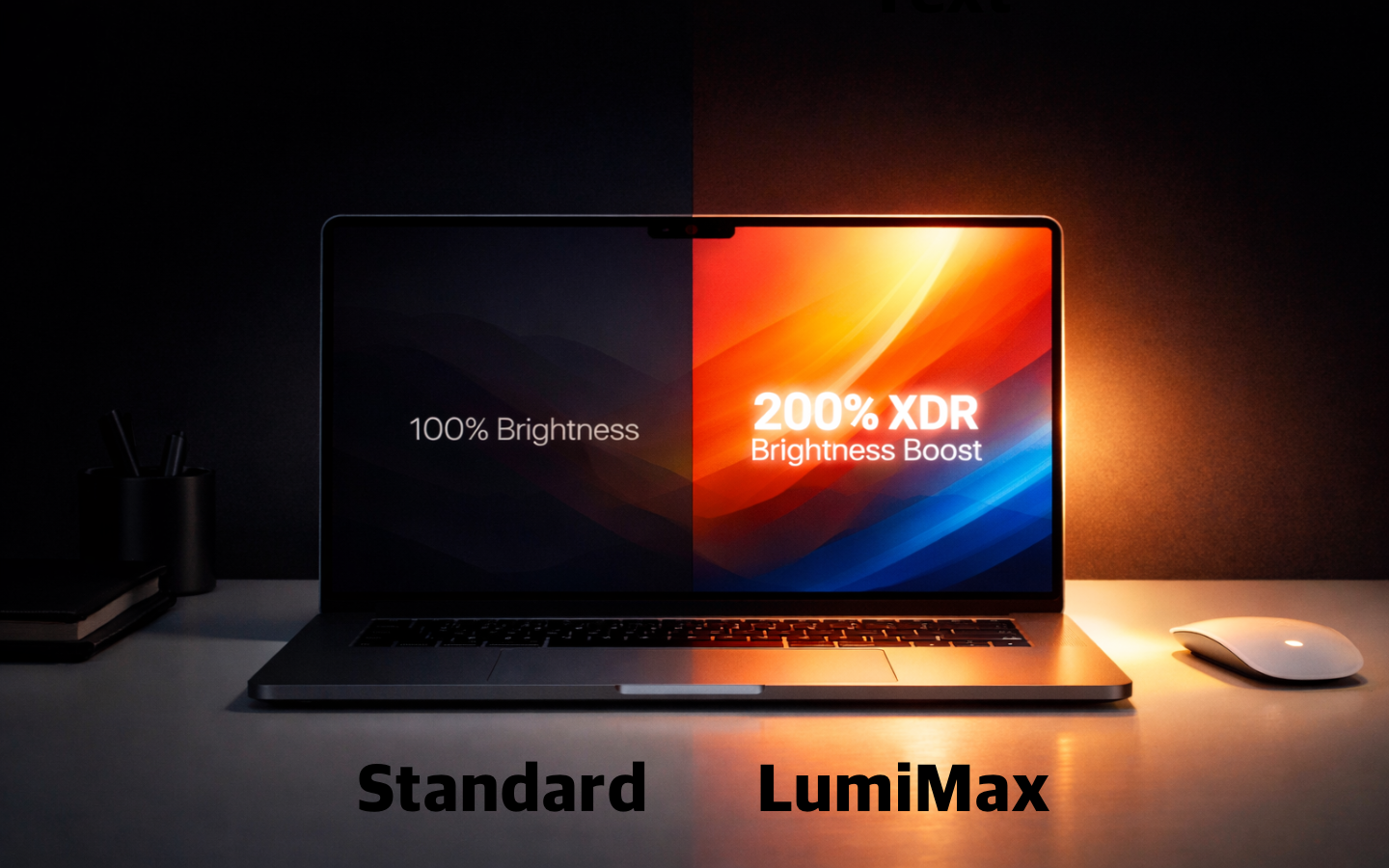
Standard vs LumiMax - 100% Brightness vs 200% XDR Brightness Boost

Powerful Features

Everything you need to control your display, in one place.

🔆

XDR Brightness Boost

Push your display up to 1600 nits. Perfect for HDR content and bright environments.

🖥️

Multi-Display Support

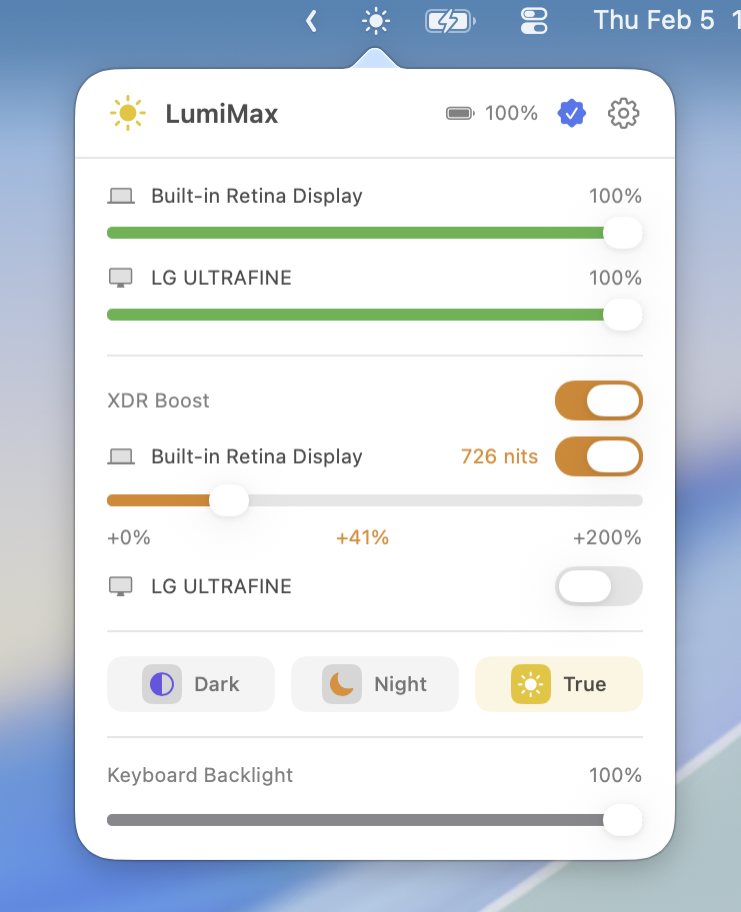
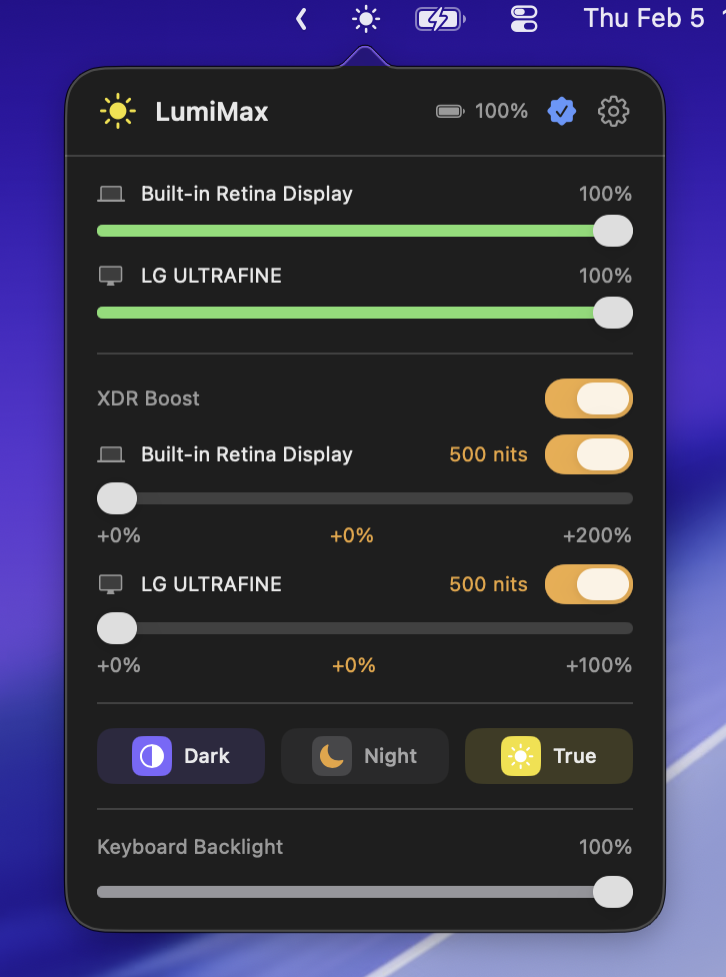
Control brightness for all connected displays including Pro Display XDR and LG UltraFine.

🌙

Display Controls

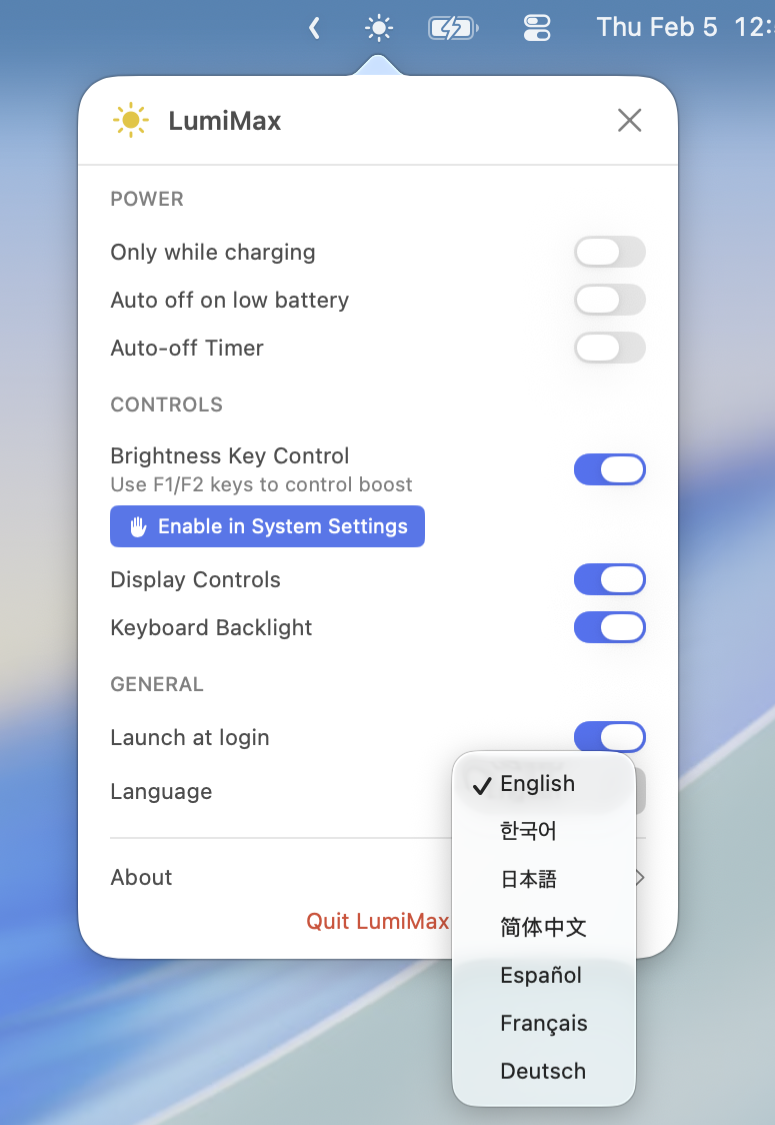
Quick toggles for Dark Mode, Night Shift, and True Tone right from the menu bar. A LumiMax exclusive.

⌨️

Keyboard Backlight

Adjust keyboard backlight brightness with a convenient slider. F1/F2 key support. A LumiMax exclusive.

🔋

Smart Battery Protection

Auto-disable on battery or when charge drops below your set threshold.

🌍

7 Languages

Available in English, Korean, Japanese, Chinese, German, Spanish, and French.

Supported Devices

Works with every Mac that supports extended brightness.

Why LumiMax?

There are already XDR brightness boost apps out there. None of them were good enough.

Other Apps LumiMax
Method Gamma table manipulation Native EDR overlay
Color accuracy Colors get distorted Preserved
Max brightness Limited Full 1600 nits
Battery Backlight always maxed Efficient overlay
Weight Heavy, feature-bloated Lightweight & fast

The Problem

  • 💸Too expensive — Most XDR boost apps charge way too much for a simple brightness tool.
  • 🔅Not bright enough — None of them actually push to the full 1600 nits your display is capable of.
  • 🎨Colors get distorted — Gamma table methods shift your color accuracy, ruining the XDR display's true potential.
  • 🪫Battery drain — Gamma-based boosting keeps the backlight maxed out at all times, killing your battery life.

The Solution

LumiMax is built using Apple's native EDR (Extended Dynamic Range) overlay — not gamma table hacks. This means:

  • Full 1600 nits — Reaches the true maximum brightness of your XDR display.
  • Color accuracy preserved — No gamma shifting. Your P3 wide color gamut stays intact.
  • Battery efficient — Only boosts the overlay, not the backlight. Use less power than gamma-based alternatives.

All-in-One Display Controller

LumiMax isn't just a brightness booster. It's a complete display control center in your menu bar — system brightness, keyboard backlight, Dark Mode, Night Shift, and True Tone, all in one place. It also supports external displays like Pro Display XDR and LG UltraFine.

✨ LumiMax Pro

One-time purchase. Yours forever.

Unlimited XDR boost
Brightness key control (F1/F2)
Keyboard backlight slider
Display controls (Dark/Night/True Tone)
Buy Pro — $16.35

A 10% platform fee is added at checkout by Gumroad.

Already purchased on the Mac App Store? Your purchase is automatically recognized in the website version — just use "Restore Purchase" in the app.

Download

Choose the version that works best for you.

Website Version App Store Version
Download Download DMG Mac App Store
Auto Update Sparkle (faster) App Store
Free Trial 3 days 3 days
Features Full access to all features Full access to brightness boost

What's New

Version 1.5.0
March 13, 2026
  • Added a first-launch guide.
  • Added a What's New popup after updates.
  • Updated the top logo in the main panel to use the real app icon.
  • Web version: Added options to choose the brightness key OSD style.
Version 1.4.1
March 6, 2026
  • Customizable menu bar icon — choose from 6 icon styles, with automatic on/off switching for boost state.
  • UI improvements in About page.
Version 1.3.2
February 27, 2026
  • The app popover now automatically opens on first launch for easier discovery.
  • DMG installer improvements.
  • Added "Leave a Review" button in About page.
Version 1.3
February 25, 2026
  • MacBook Air is now supported with optimized boost limits.
  • MacBook Pro 13" (M1/M2) is now supported with optimized boost limits.
  • Dynamic boost limits per device are now supported for the best experience.
Version 1.2
February 23, 2026
  • App updates can now be checked directly from Settings. LumiMax will notify you when a new version is available.
  • Fine brightness control with Shift+Option+F1/F2 is now supported for more precise adjustments.

Privacy Policy

Last updated: February 5, 2026

LumiMax does not collect, store, or transmit any personal data.

Data Storage

All settings are stored locally on your device. Purchase information is handled by Apple through the App Store or Gumroad for direct purchases. License key validation communicates only with Gumroad's API to verify your purchase. No personal data is collected or stored on our servers.

Analytics

LumiMax does not use any analytics or tracking services.

Contact

For questions about this privacy policy, contact us at ramterstudio@gmail.com